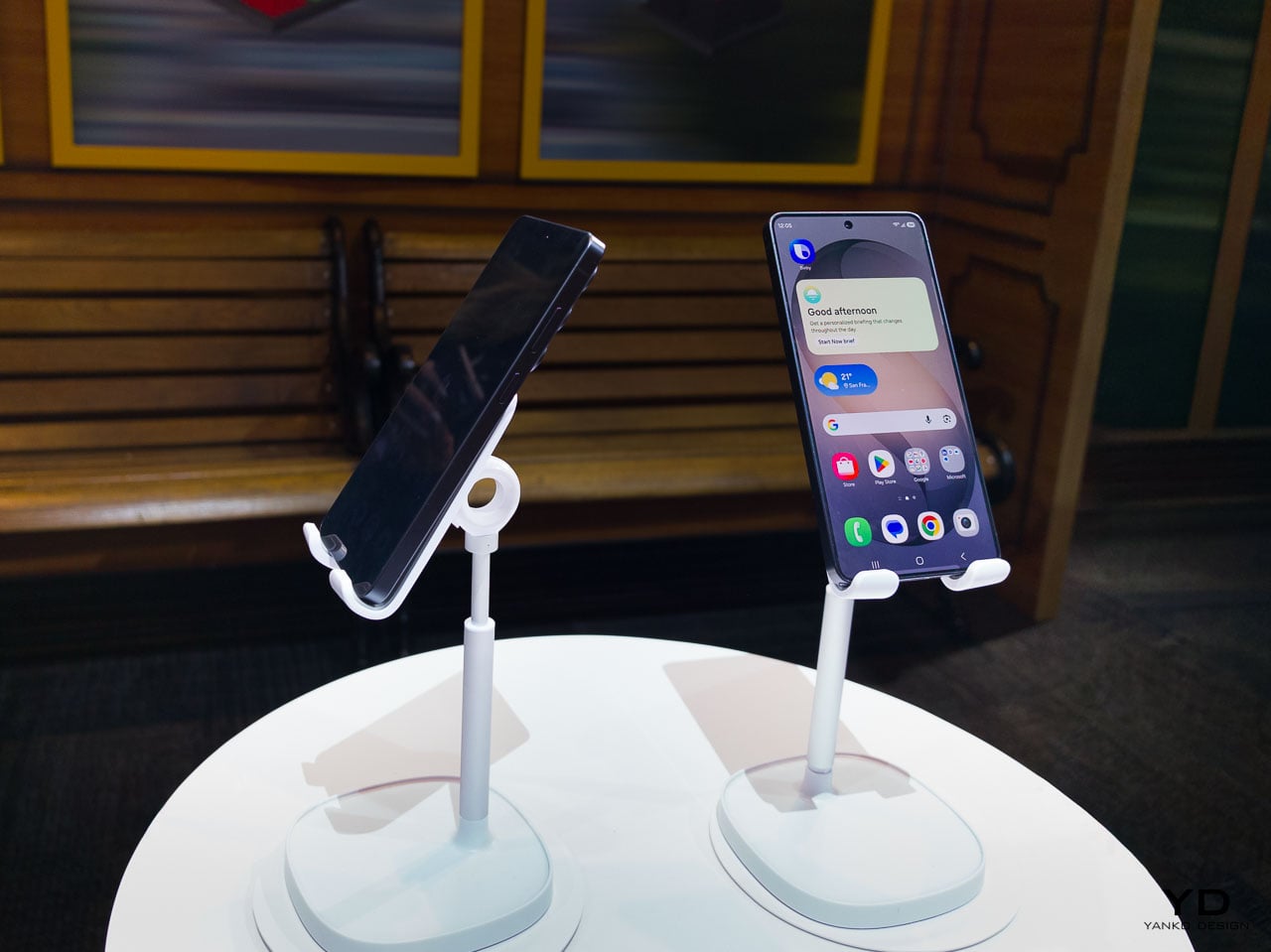
There’s a persistent assumption in consumer electronics that meaningful progress requires visible transformation. A radically different silhouette, a feature so obvious it photographs well from across a room, something that immediately signals newness. Samsung’s Galaxy S26 Ultra challenges that assumption with something more interesting: a collection of refinements so carefully layered that the cumulative effect only reveals itself through sustained daily use.
The Ultra hasn’t been redesigned. It’s been recalibrated. And the distinction matters more than it might seem at first glance.
What Samsung has done with the S26 Ultra is treat the flagship phone as an ergonomic system rather than a feature delivery vehicle. Every change, from the slimmed-down profile to the pixel-level privacy controls, connects back to how the device behaves in your hand, in your pocket, in your line of sight. It’s the kind of design work that doesn’t announce itself on a spec sheet but becomes impossible to ignore after 48 hours of use.
The thinnest Ultra Samsung has ever built
At 7.9mm, the S26 Ultra is the slimmest flagship Samsung has produced. That number doesn’t exist in isolation. It’s the result of internal architecture decisions that ripple outward into how the phone actually feels during a full day of use.
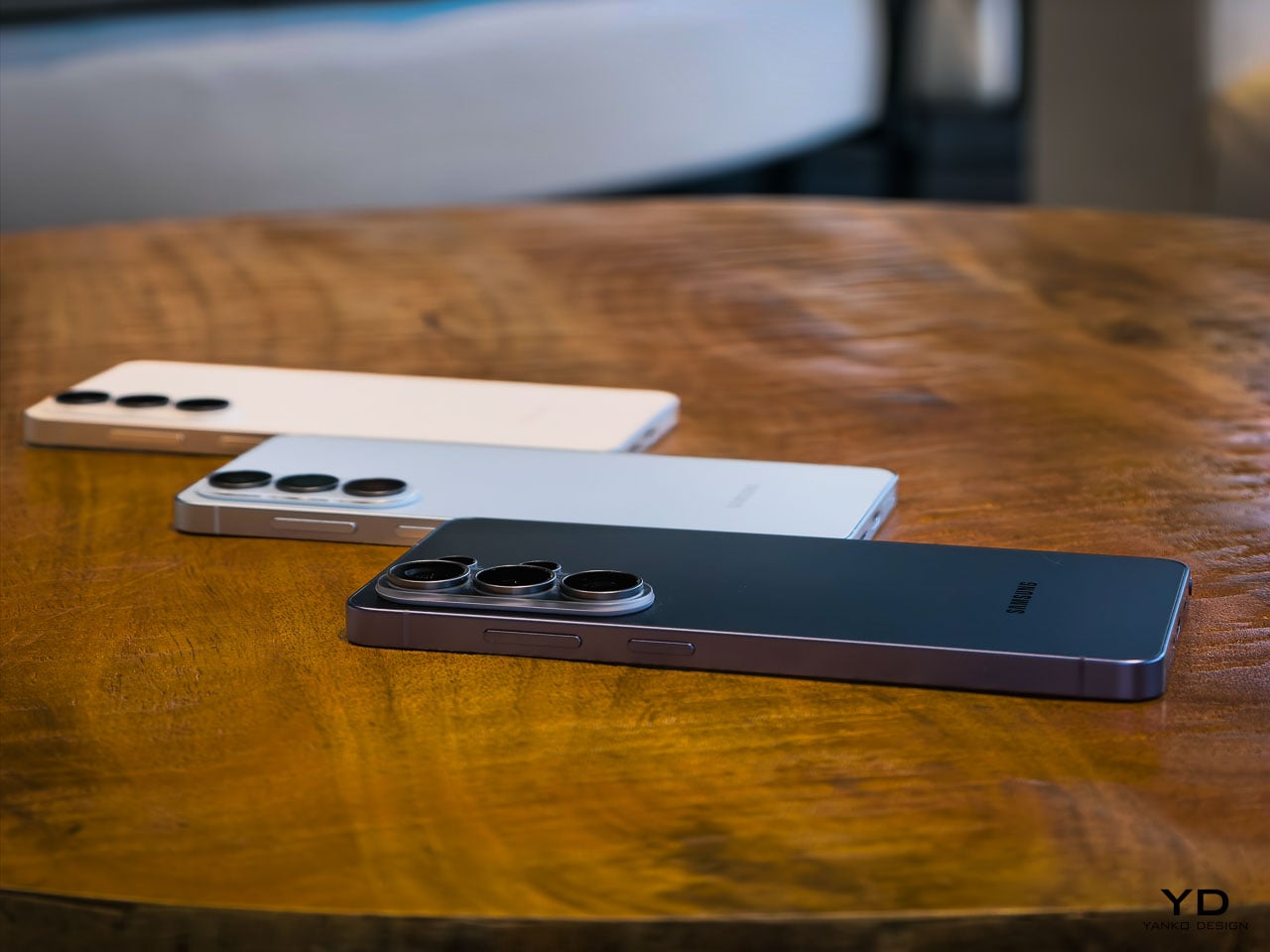
Pick it up and the first thing you register isn’t thinness as a visual quality. It’s grip confidence. The reduced profile means your fingers wrap slightly further around the frame, creating a more secure hold that you notice most during one-handed texting or scrolling through a feed while standing on a train. Samsung hasn’t just shaved material away. The engineering team has redistributed internal volume, moving the redesigned vapor chamber and battery architecture into a layout that achieves the thinner profile without the hollow, fragile sensation that plagued earlier slim-phone experiments from other manufacturers.
This generation marks a notable material shift. Samsung moved from titanium on the S25 Ultra to armor aluminum on the S26 Ultra, and it’s the strongest aluminum alloy Samsung has ever produced for a phone frame. That decision contributes directly to the sensation of structural seriousness. There’s a density to the frame that communicates durability without adding bulk. When you set the phone down on a hard surface, it lands with a satisfying weight that feels proportional to the screen size. Gorilla Armor 2 on the front continues Samsung’s partnership with Corning, and while scratch resistance is hard to evaluate in a hands-on window, the glass has a slightly different optical quality compared to last generation. Colors appear to sit closer to the surface.
Cobalt Violet and the case for restrained color
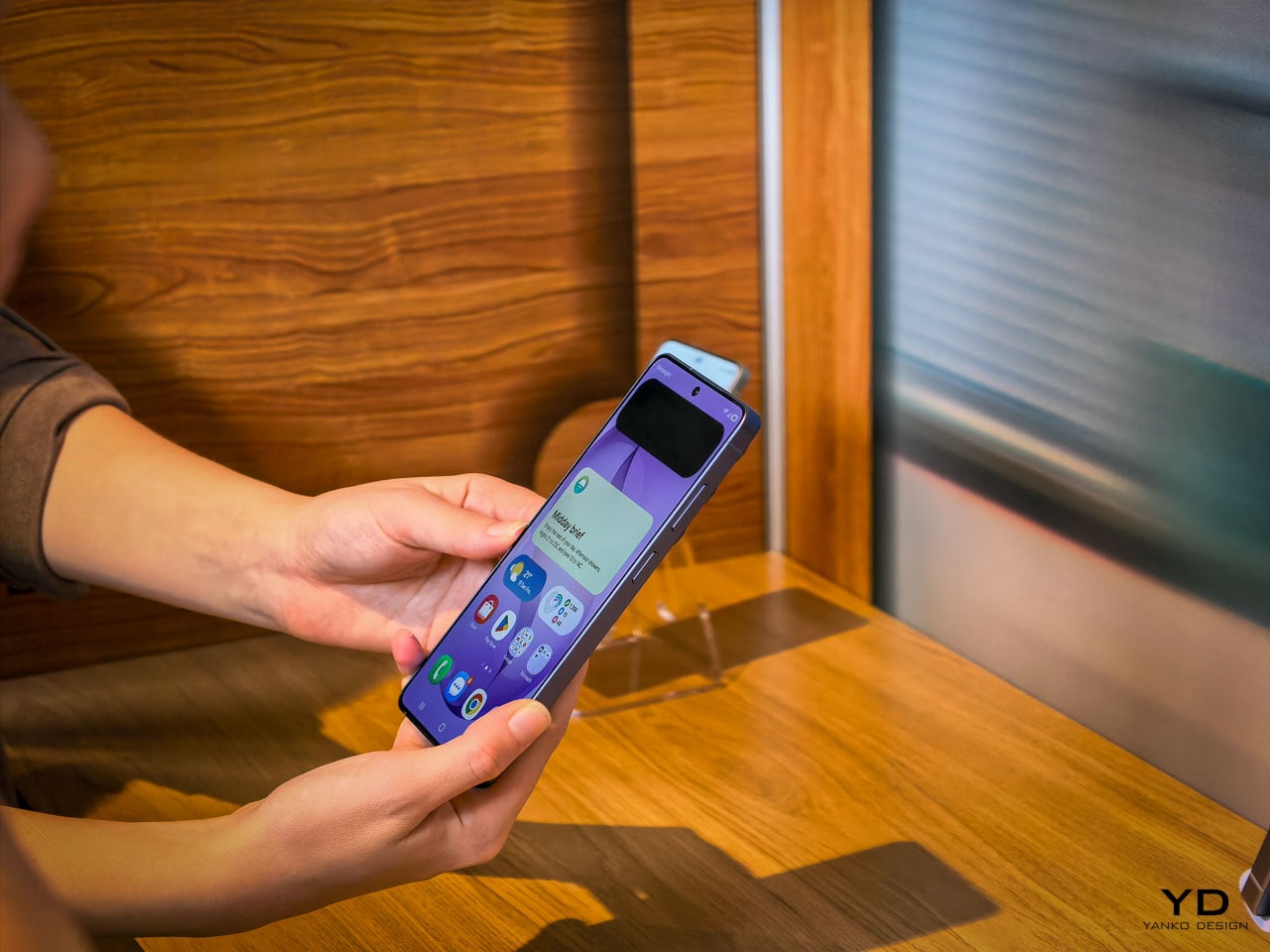
Samsung’s hero color for the S26 Ultra is Cobalt Violet, and it’s genuinely well considered. This isn’t the saturated purple that consumer electronics brands typically reach for when they want to signal personality. It’s muted, almost mineral, closer to what you’d expect from anodized titanium that’s been treated with a violet oxide layer than anything you’d find in a paint swatch.
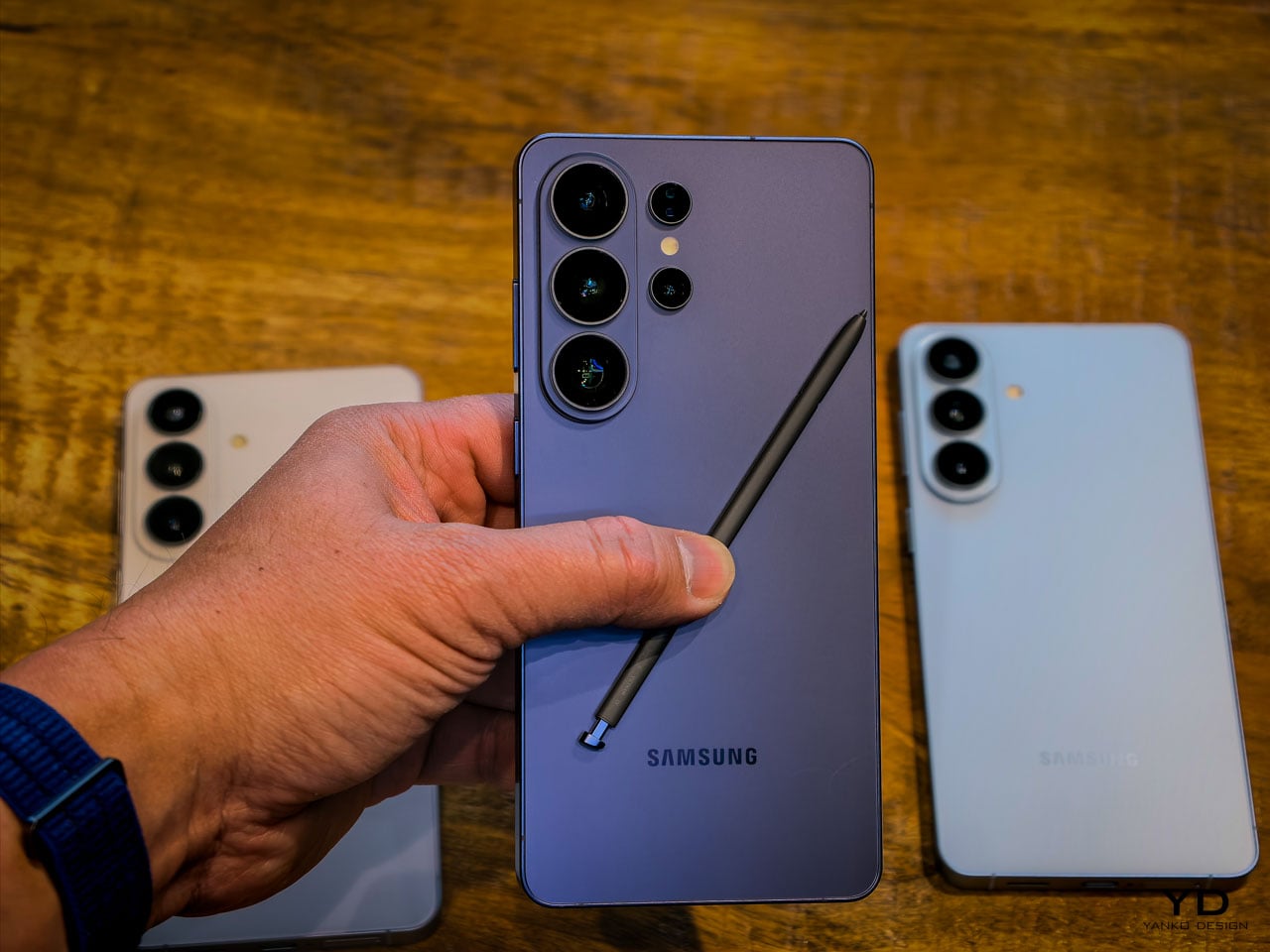
The color shifts meaningfully under different lighting conditions. Warm indoor light pulls it toward a dusty mauve. Direct sunlight brings out a cooler, more metallic character. It’s the kind of finish that photographs differently every time, which is exactly what a design-conscious audience will appreciate.
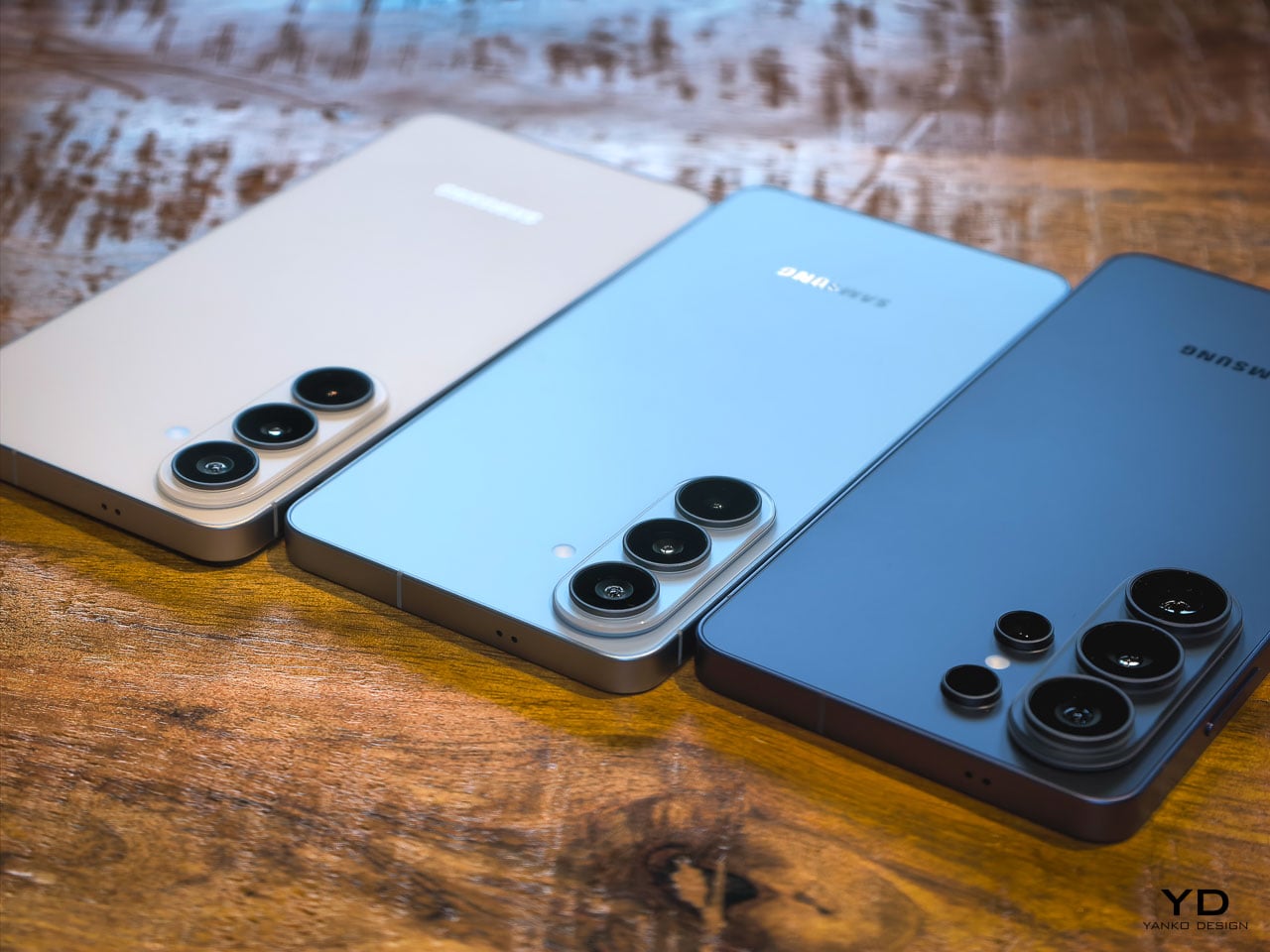
White, Sky Blue, and Black round out the options, but Cobalt Violet is doing the heavy conceptual lifting here. It signals that Samsung’s color team is thinking about surface treatment as material expression rather than trend chasing. When you pair it with the unified design language that now runs across the entire S26 family (the Ultra, the Plus, and the standard model all share proportional relationships and material cues), it becomes clear that Samsung is building a product design system rather than just iterating on individual devices.
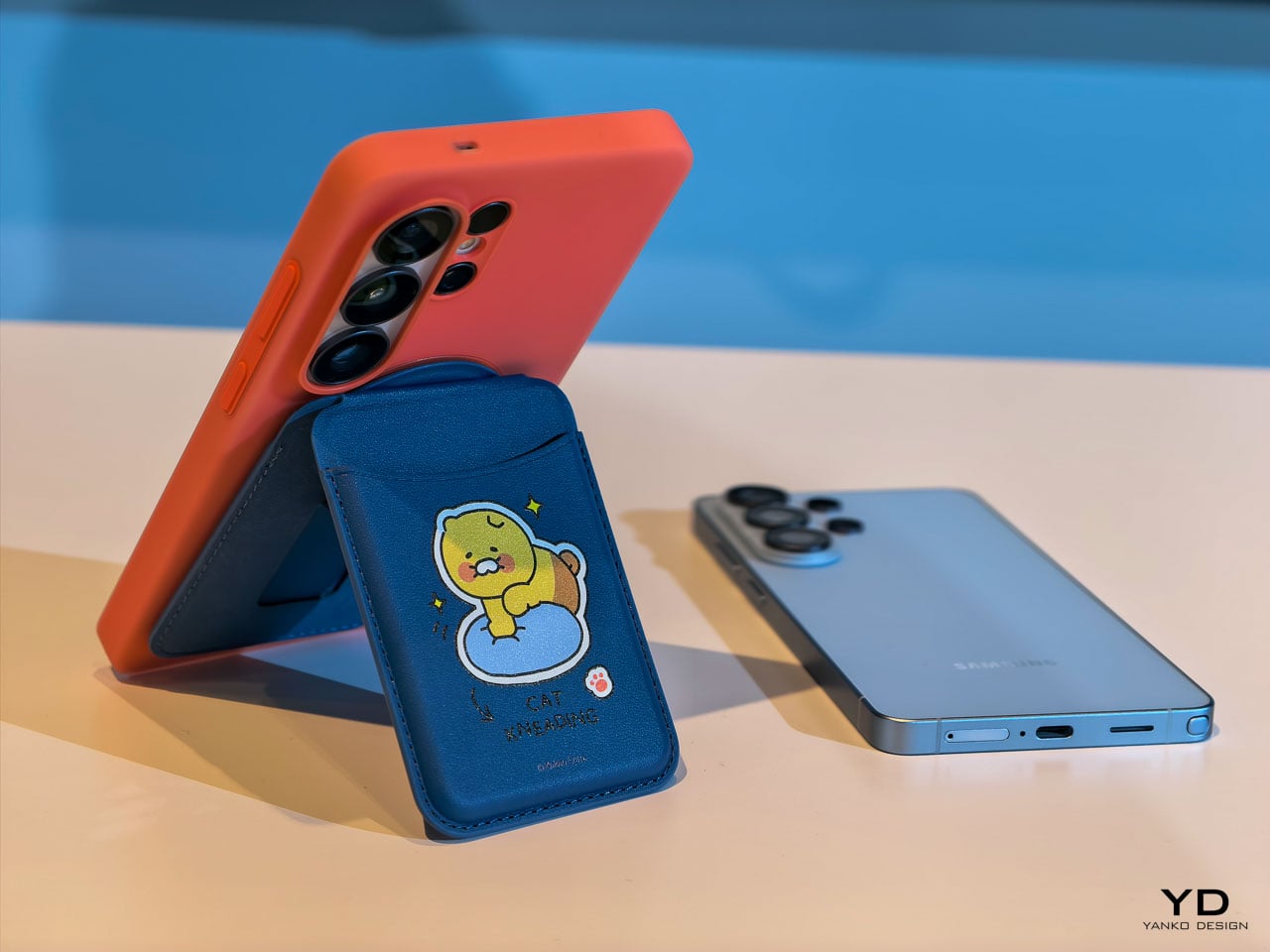
The introduction of a magnetic case ecosystem is worth noting in this context. Samsung deliberately kept magnets out of the devices themselves, routing all magnetic compatibility through the case layer instead. That’s a conscious trade-off: it preserves the slim profile and weight targets that the engineering team fought for while still enabling MagSafe-style accessory attachment. Whether that ecosystem develops into something as robust as Apple’s approach remains an open question, but the architectural intent is clear. Samsung wants the accessory conversation without the hardware penalty.
Privacy Display: solving a problem at the pixel level
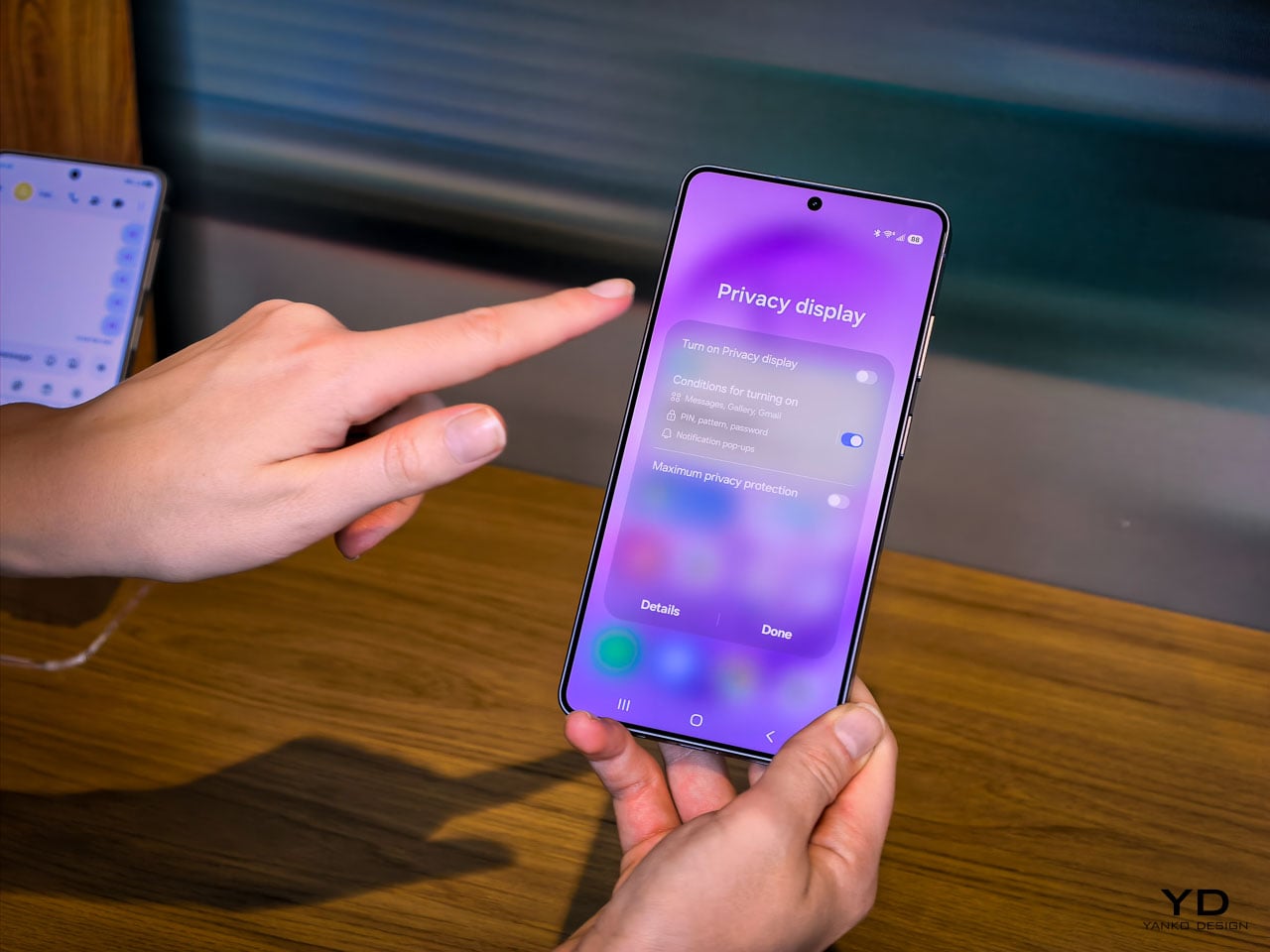
The feature that warrants the most design analysis on the S26 Ultra is the Privacy Display, and it’s exclusive to this model. Samsung calls it the world’s first mobile implementation, and they spent five years developing it.
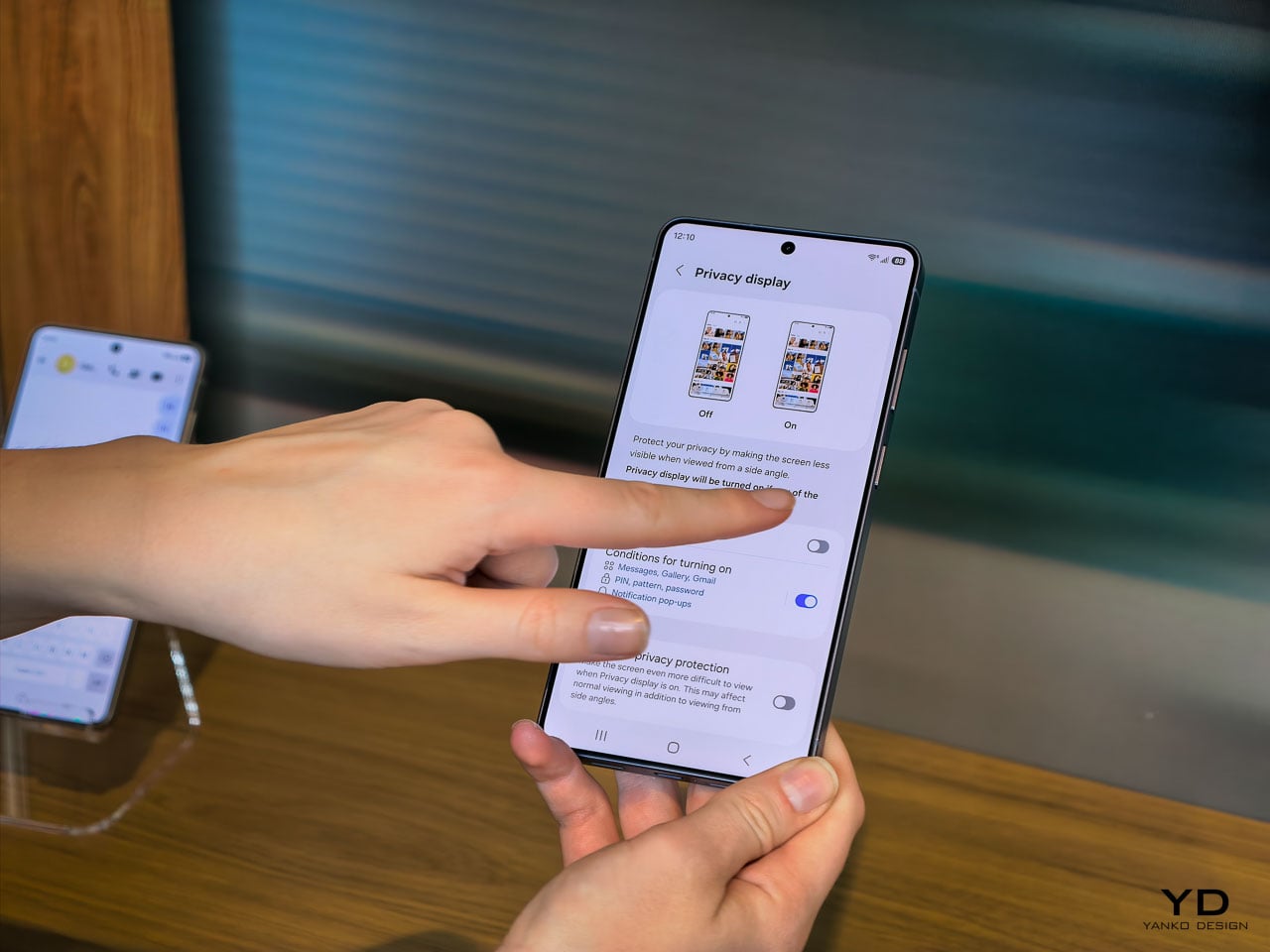
Here’s what it does: at the pixel level, the display can restrict the viewing angle so that someone standing beside you or slightly behind you sees a darkened, unreadable screen while your direct line of sight remains completely unaffected. The restriction works in both portrait and landscape orientations, which matters if you’re watching a video sideways or scrolling in landscape mode on a plane. It’s not a screen filter. It’s not software dimming. It’s the panel itself behaving differently based on the angle of emitted light.
The customization layer is where this gets genuinely interesting from a UX perspective. You can configure Privacy Display on a per-app basis. Banking and messaging apps stay private by default, while maps or music playback remain fully visible. Selective notification privacy means incoming alerts can be restricted to your viewing angle without blanking the entire display. Password protection adds another layer for sensitive use cases.
This is a fundamentally different approach to screen privacy than anything the market currently offers. The existing solutions are adhesive film overlays or software-based brightness manipulation, both of which degrade the visual experience for the primary user. Samsung’s implementation doesn’t compromise display quality at your natural viewing angle. The 10-bit panel still renders its full billion-color range. Pro Scaler still does its work. You’re not trading visual fidelity for privacy, and that’s a meaningful engineering achievement.
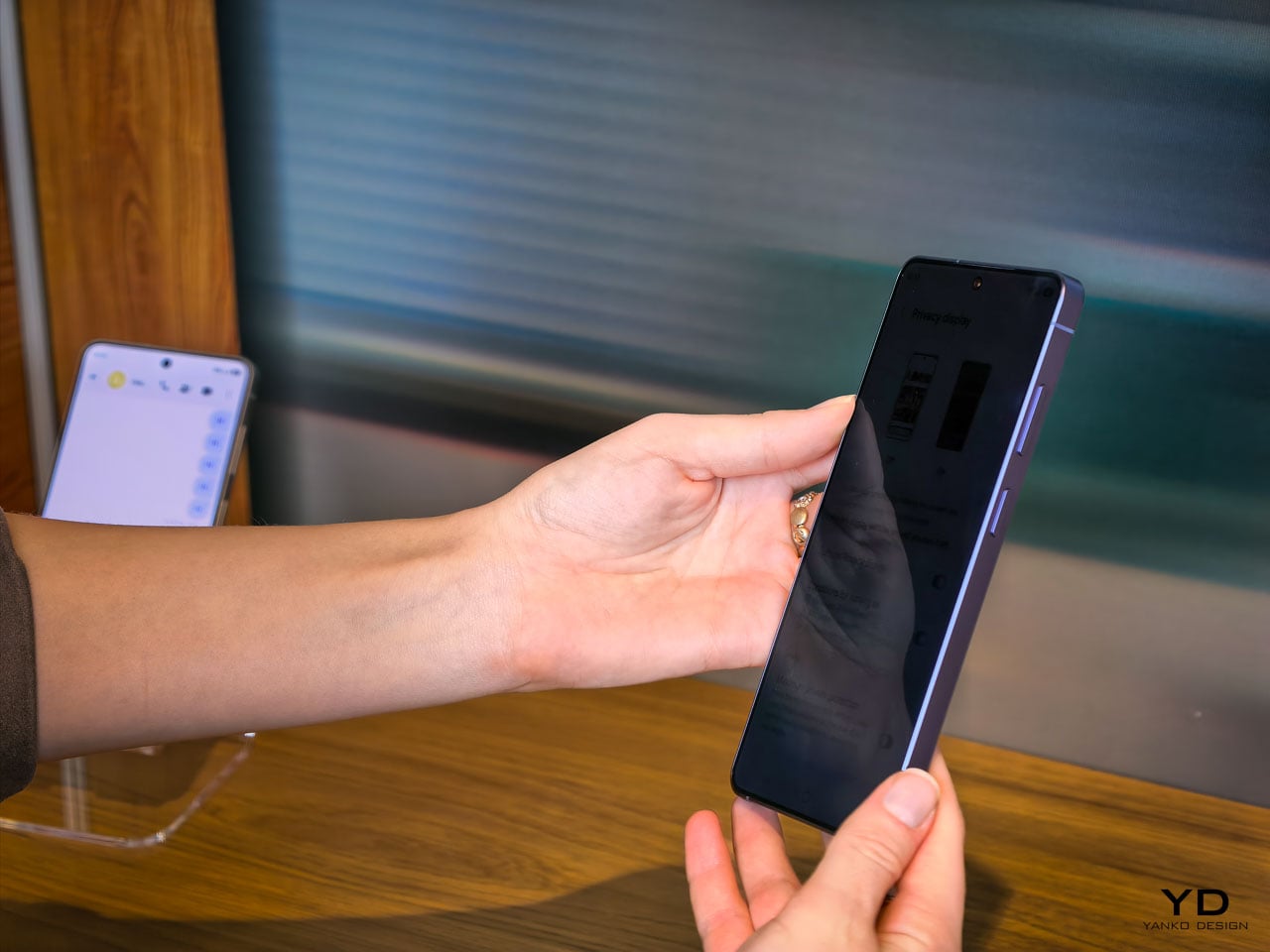
Activation is deliberately frictionless. A double-click on the side key toggles Privacy Display on or off instantly. Samsung has also integrated it into the Routines system, so you can set geolocation triggers: the display automatically activates privacy mode when you arrive at a coffee shop, an airport, or your office, and deactivates when you’re home. It’s the kind of contextual intelligence that makes the feature feel native to how people actually move through their day rather than something you have to remember to toggle.
The battery story is actually a pleasant surprise. Samsung confirmed that Privacy Display doesn’t drain additional power, and if anything, it can improve battery life since the feature restricts light output to a narrower viewing cone rather than broadcasting at full brightness in all directions. The hardware operates independently of any network connection since the privacy logic lives entirely within the display itself, not in cloud processing or software overlays. That independence means the feature works identically in airplane mode, in a dead zone, or on a fully connected 5G network.
For daily ergonomics, this matters in ways that aren’t immediately obvious. Think about every time you’ve tilted your phone away from a seatmate on an airplane, or cupped your hand around the screen while typing a password in a coffee shop. Those micro-adjustments are unconscious ergonomic compromises. Privacy Display eliminates them entirely. You hold the phone naturally, at whatever angle feels comfortable, and the technology handles the rest. Over a full day, the absence of those small physical accommodations adds up to a more relaxed relationship with the device.
Camera: precision over reinvention
The camera system on the S26 Ultra follows the same philosophy that runs through the rest of the device. No dramatic sensor swaps or wild new focal lengths. Instead, Samsung has focused on the optical and computational areas that affect the most common shooting scenarios.
The ultra-wide lens now captures 47% more light than the S25 Ultra’s equivalent. That’s a significant improvement for the lens that most people use in tight indoor spaces, group shots, and architectural photography. More light means faster shutter speeds in marginal conditions, which translates to less motion blur and more consistent detail in the frame edges where ultra-wide lenses typically struggle.
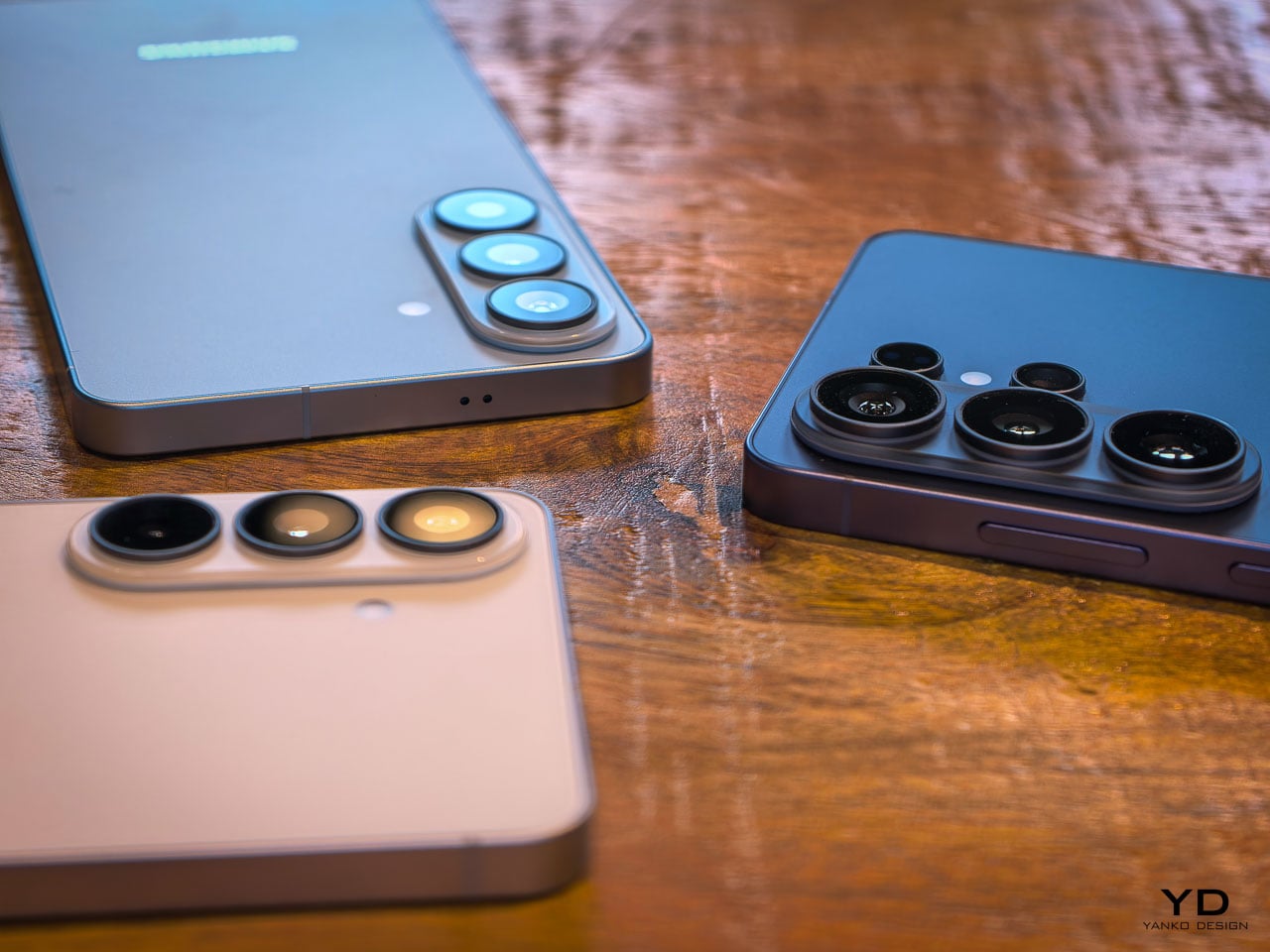
The front camera tells a similar story of targeted improvement. At 50MP with a 37% brightness increase and an 85-degree field of view, Samsung has addressed the three most common complaints about flagship selfie cameras: resolution in challenging light, dynamic range when the subject is backlit, and the inability to fit a full group without awkward arm extensions. The addition of AI ISP processing to the front camera is notable because it means computational photography features that were previously reserved for rear cameras now apply to video calls and social content.
Enhanced Nightography takes a physics-based approach to video noise reduction this year, recognizing that each lens produces different noise patterns and applying pre-trained filters calibrated to the specific optical characteristics of each camera module. The result is cleaner low-light video across all rear lenses, not just the primary sensor.
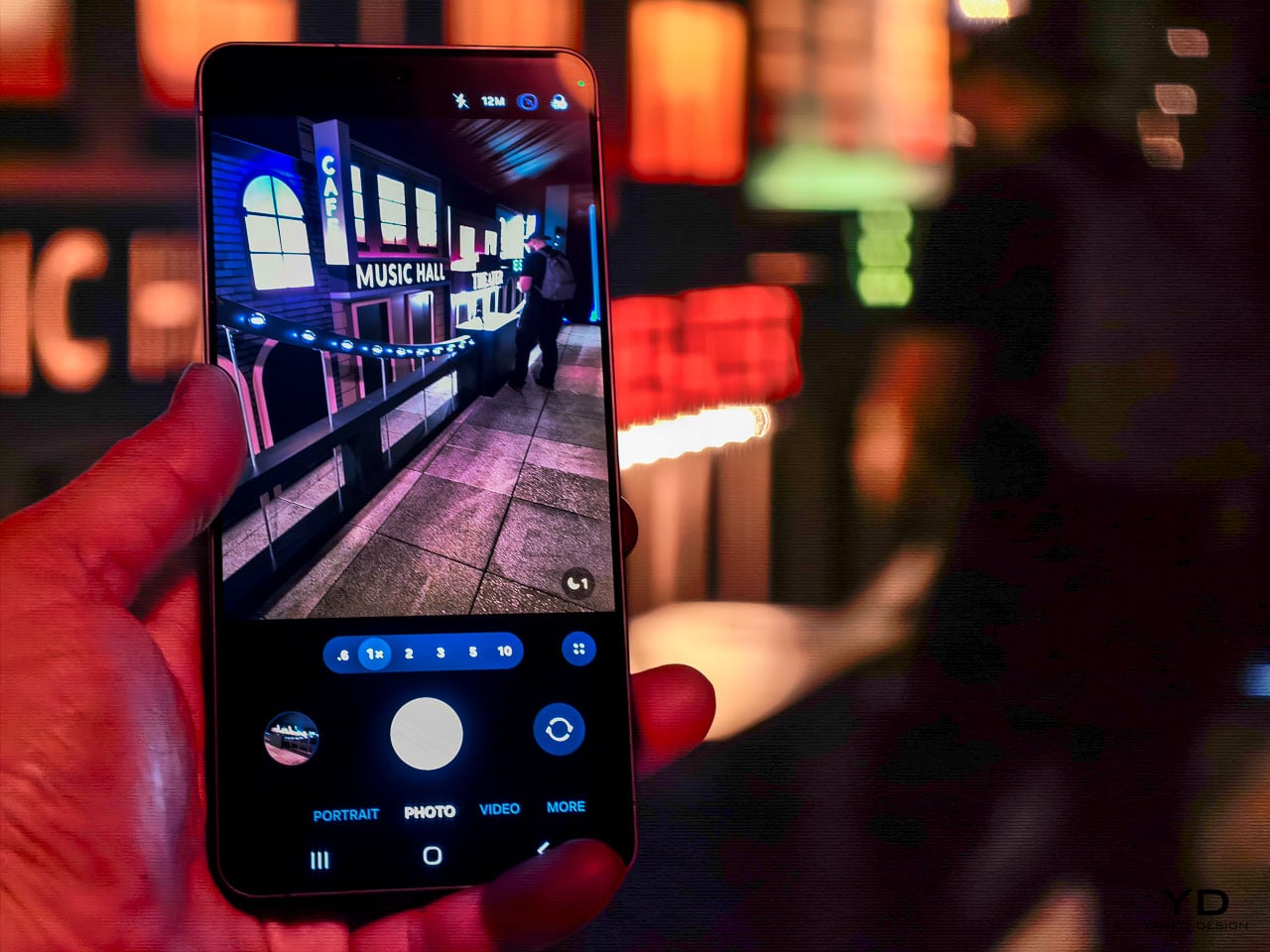
Video capabilities push further into professional territory with the Advanced Pro Video Codec, an Ultra exclusive that enables 8K recording at 30 frames per second. The 4K auto-framing feature uses AI to track and recompose subjects during recording, which is genuinely useful for solo content creators who can’t operate a camera and perform at the same time. SuperSteady stabilization now uses real-time gyro and accelerometer data to deliver a full 360-degree horizon lock during recording. Samsung describes it as having a gimbal in your pocket, and while that’s marketing shorthand, the underlying sensor fusion approach is legitimate stabilization engineering.
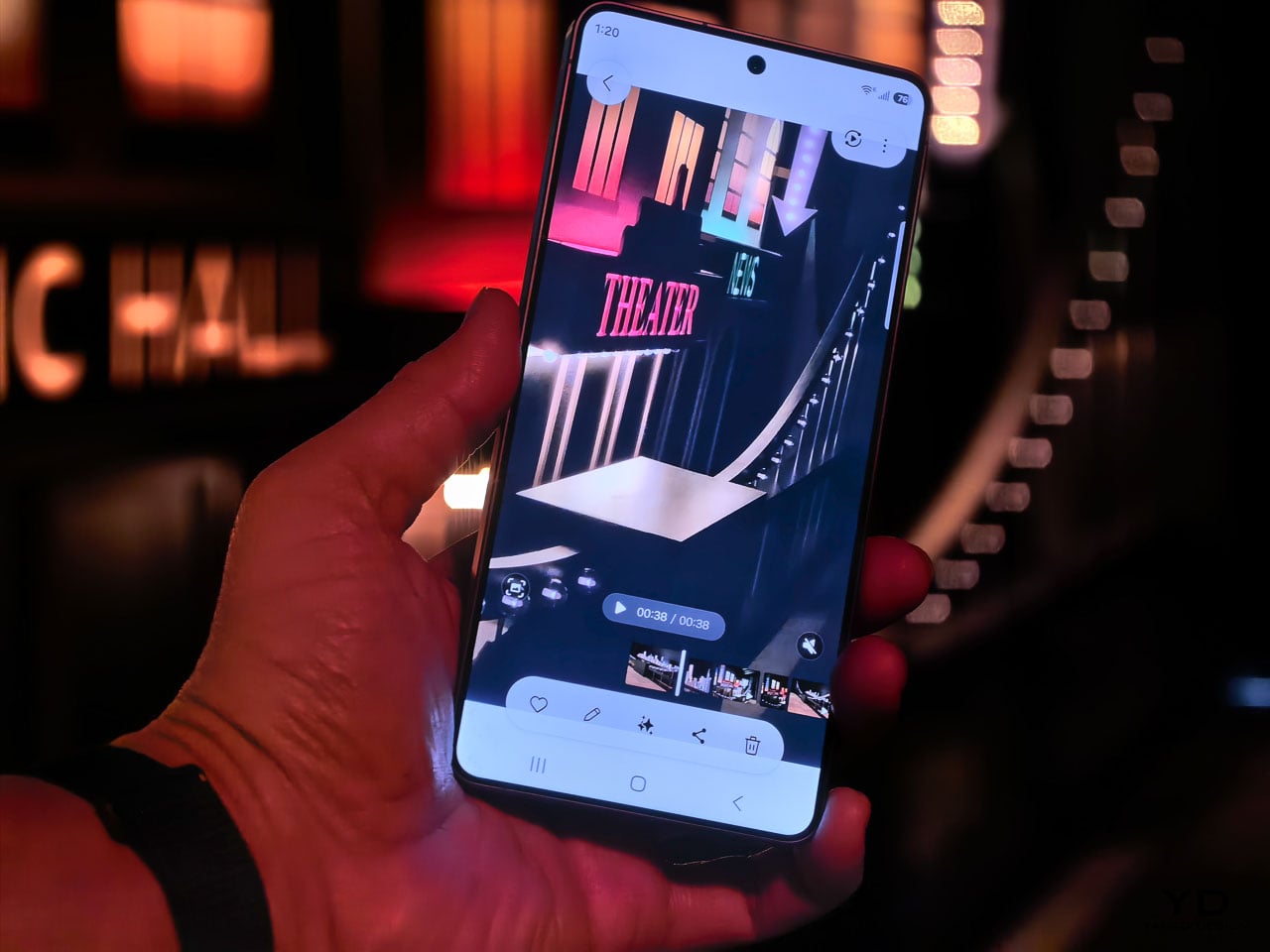
Audio Eraser now extends to third-party apps, but with an important clarification: it affects playback consumption only. You can toggle it from the quick panel to clean up background noise while watching content on Instagram, TikTok, YouTube, or Netflix. It won’t modify the actual recording or file in those apps. Document Scanner is another quiet addition built directly into the camera viewfinder. It automatically detects documents, removes fingers, moiré patterns, shadows, and creases, then outputs clean multi-page PDFs. It’s the kind of feature that eliminates a dedicated scanning app from your phone entirely.
These aren’t headline-grabbing camera changes. They’re the kind of improvements that reduce the number of shots you delete and increase the number you actually share. For daily use, that ratio matters more than any single spec number.
Galaxy AI and the agentic phone
The software story on the S26 series might be the most ambitious part of this generation, and it’s easy to overlook when the hardware changes are this well executed. Samsung has organized its AI features into three categories: agentic AI that takes action on your behalf, personal AI tailored to your habits, and adaptive AI that anticipates what you need before you ask.
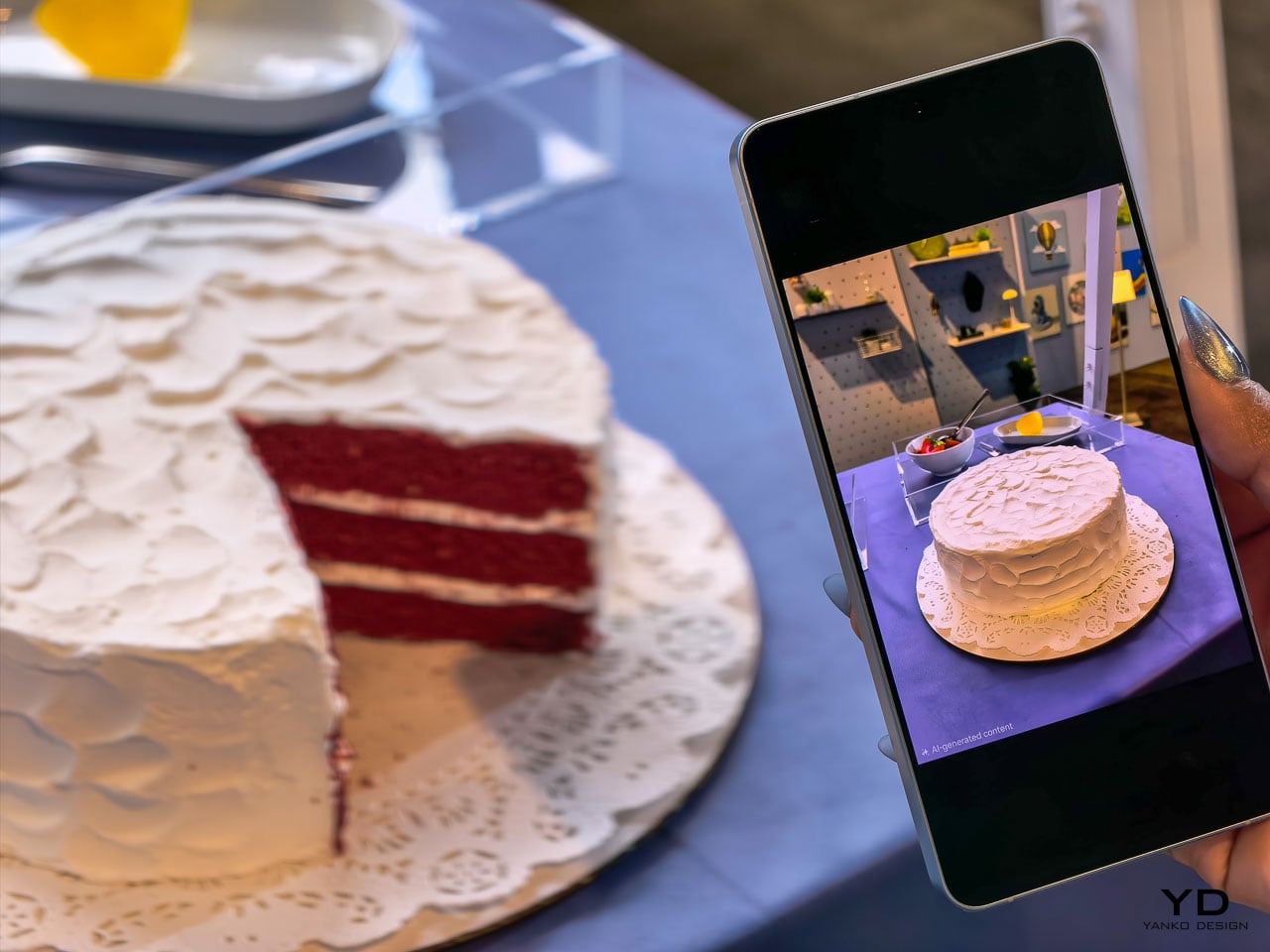
NowWatch, built natively into the Samsung keyboard, reads your conversation context and suggests relevant actions in real time. Mention a dinner plan in a text thread and it can create a calendar event, pull location details, or share a contact card without you ever leaving the messaging app. NowBrief now connects directly to your notification stream, pulling event information from messages and alerts even when those events were never added to your calendar. These features work together to reduce the friction between a conversation and the action it implies.
Agentic actions go further. You can book an Uber ride through a natural language voice command, and Samsung has signaled plans to expand this capability to delivery services like DoorDash and Instacart. Circle to Search now supports multi-object recognition, so you can circle an entire outfit in a photo and search for each piece simultaneously. The AI can even let you virtually try items on, which blurs the line between search and shopping in a way that feels genuinely new.
Photo Assist introduces natural language editing: tell the device to remove an object, change a background, or adjust a specific element, and the on-device AI processes the request. Multimodal editing takes this further by letting you reference other images in your gallery as part of the prompt. Ask it to composite a specific shirt onto your photo and it pulls from an existing gallery image to build the result. Creative Studio consolidates all AI creation tools into a single Edge panel location with guided workflows for stickers, greeting cards, invitations, and contact cards.
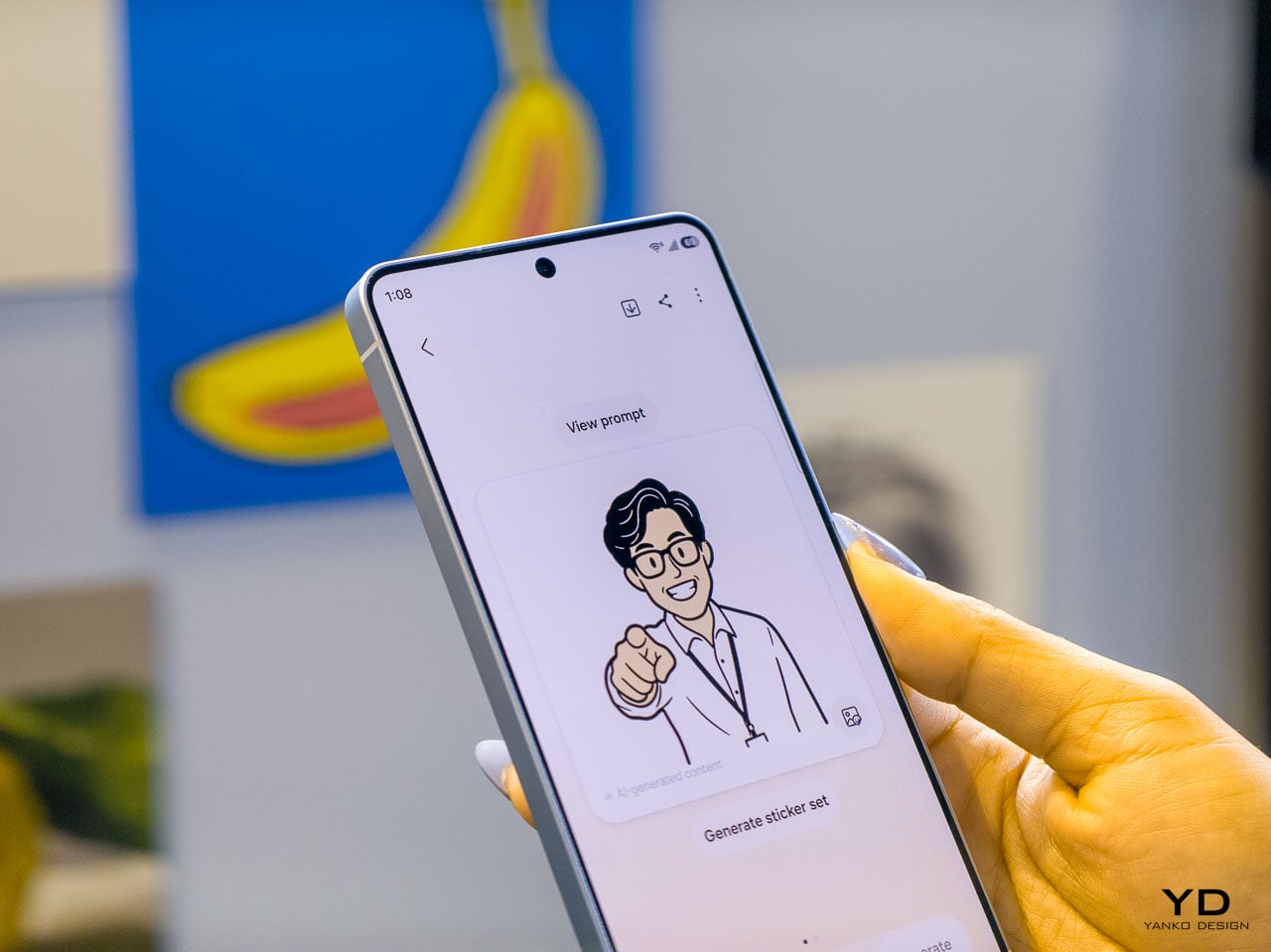
Bixby’s LLM upgrade positions it as a device-native companion that understands your phone’s settings, can explain features, and execute quick actions across the interface. During initial setup, users choose between Bixby, Gemini, and now Perplexity as their default AI agent. Perplexity can be summoned with a dedicated “Hey Plex” wake phrase or by pressing and holding the side button, and it’s embedded across Samsung Notes, Clock, Gallery, Reminder, Calendar, and select third-party apps. Samsung cited internal data showing nearly 8 in 10 users already rely on more than two types of AI agents depending on the task, which explains why the company is opening its AI layer to multiple providers rather than locking users into a single assistant. It’s a notable acknowledgment that different users want different AI philosophies guiding their daily experience. Bixby LLM also extends across Samsung’s ecosystem to TVs, watches, and other connected devices, creating a persistent assistant layer that follows you between screens.
Screenshot organization automatically categorizes captures into eight groups (coupons, events, shopping, and five others), which is a small productivity feature individually but represents Samsung’s bet that the phone should handle organizational work you currently do manually.
Call screening and scam protection
Two security-focused AI features deserve separate attention. Call Screening lets the AI answer incoming calls on your behalf, transcribe the conversation in real time, and deliver a summary of who called and why. The transcripts are searchable afterward, so you can retrieve information from screened calls even if you never picked up. That’s a meaningful shift in how missed calls work.
Scam Detection runs a separate AI analysis on active conversations, flagging suspected scams based on blacklisted numbers and suspicious language patterns. It’s a defensive layer that works alongside Samsung’s existing security stack, and it addresses a growing problem that traditional spam filters can’t solve on their own.
Performance architecture and charging
The Snapdragon 8 Elite Gen 5 inside the S26 Ultra represents the second generation of Samsung’s deepened co-engineering relationship with Qualcomm. Rather than simply dropping in the latest available silicon, Samsung’s hardware team has worked with Qualcomm on customizations specific to the Ultra’s thermal and power delivery profile. The NPU sees the largest year-over-year performance gains in the entire chipset, a direct response to the processing demands of on-device AI features that now run simultaneously across camera, language understanding, and system automation tasks.
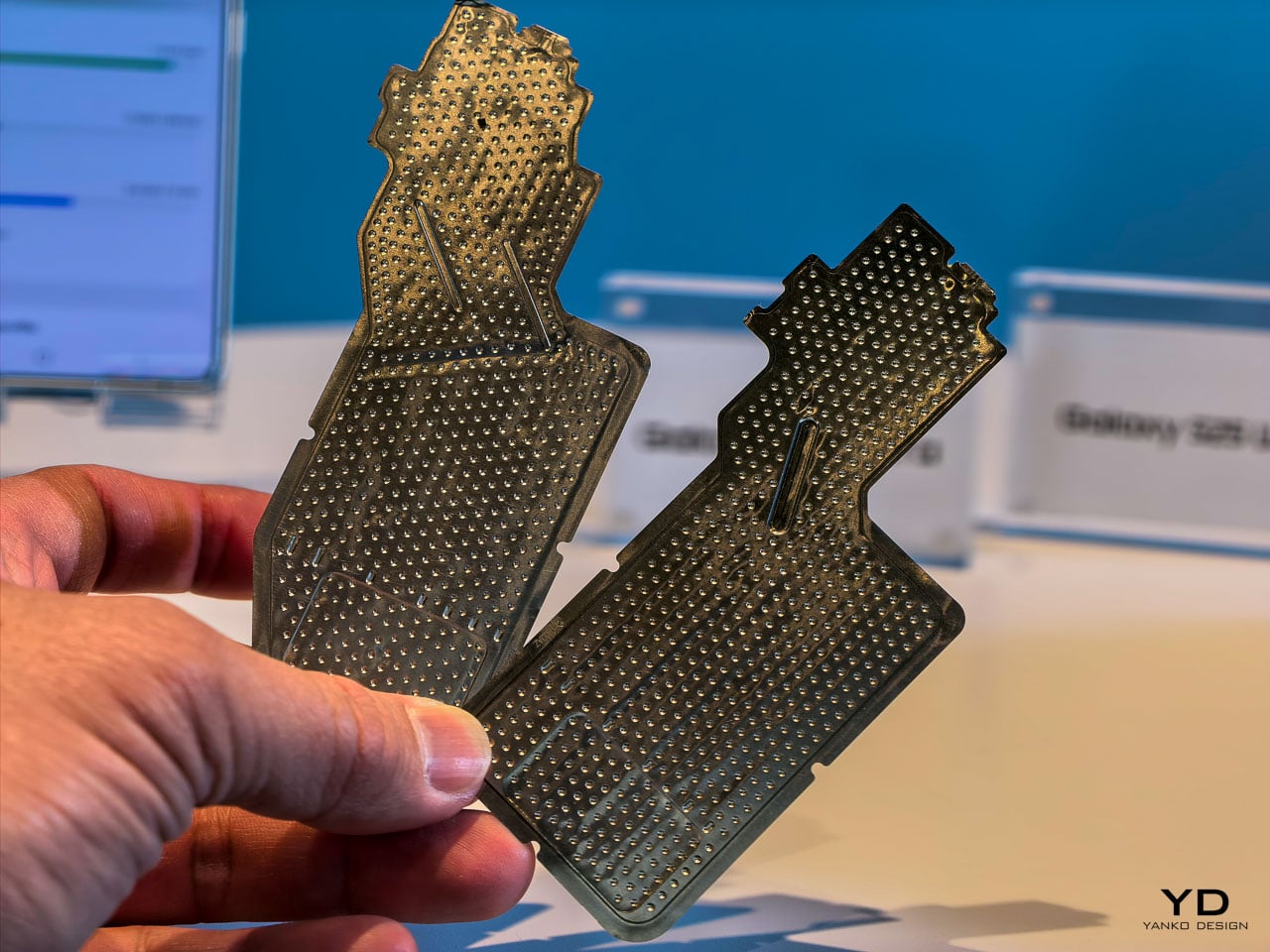
The redesigned vapor chamber cooling system is the physical expression of this partnership, and it deserves closer attention than the briefing materials gave it. Samsung confirmed the vapor chamber has been redesigned for better thermal management and sustained performance, but the engineering context tells a more interesting story than that summary suggests.
Achieving a more efficient cooling solution inside a body that’s simultaneously gotten thinner is a genuine packaging challenge. The vapor chamber in a smartphone works by spreading heat away from the processor through a sealed chamber containing a small amount of liquid that evaporates near the heat source and condenses at cooler areas, distributing thermal energy across a wider surface. Redesigning that system for the S26 Ultra’s slimmer 7.9mm chassis means Samsung’s thermal engineers had to rethink the chamber’s geometry, likely optimizing the internal wick structure and vapor flow paths to maintain or improve heat dissipation within tighter vertical constraints.
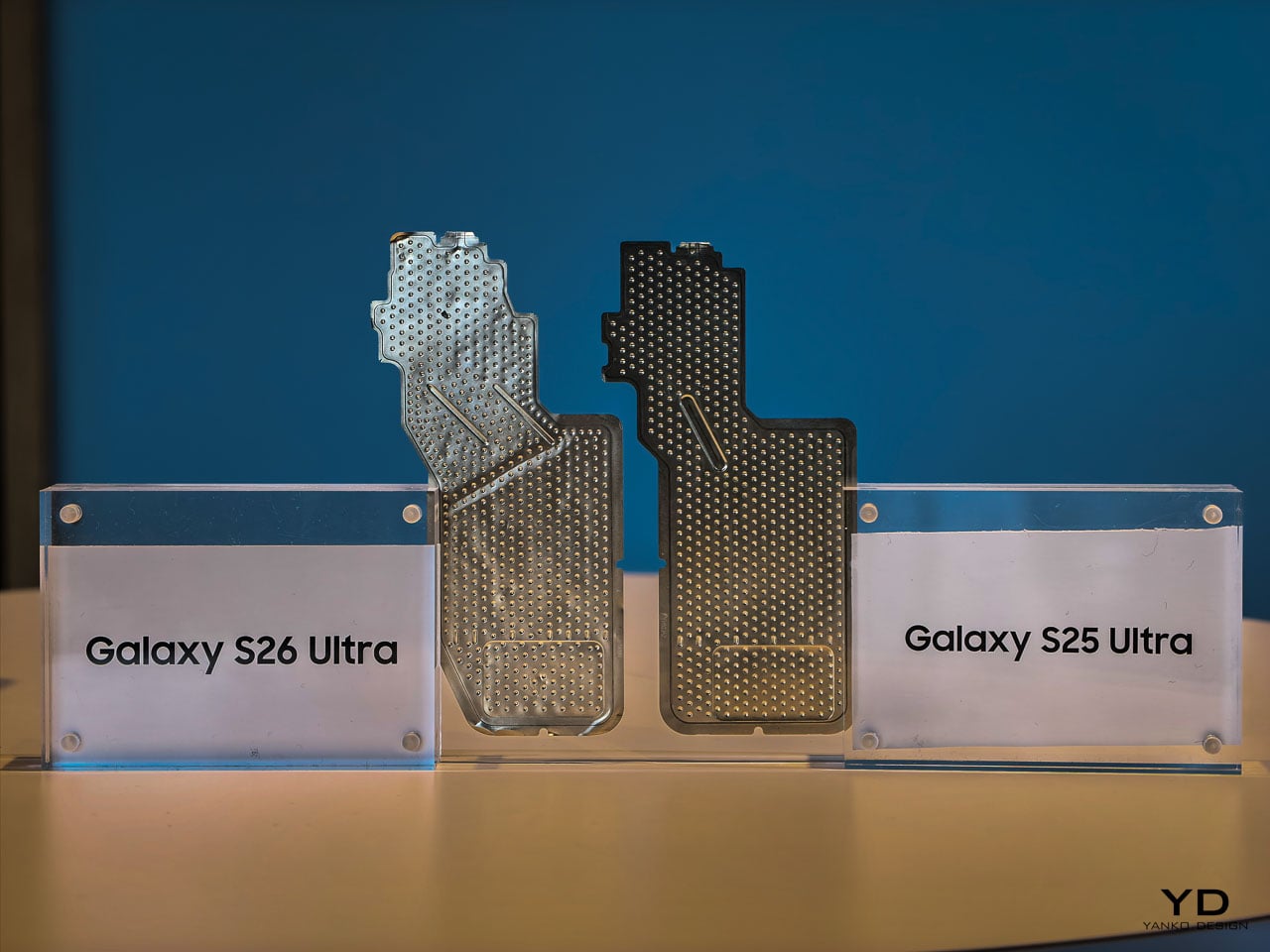
During hands-on time, the phone stayed comfortable to hold through extended camera sessions and quick multitasking demos. Whether the redesigned vapor chamber translates to measurably less thermal buildup than previous Ultra models will require longer, controlled testing. What we can say from the event floor: the S26 Ultra didn’t get noticeably warm in situations where earlier models would have started heating up. That’s promising, but the real thermal story will come from sustained workloads over days, not demo stations.
What’s particularly interesting from a design perspective is how this thermal architecture enables the rest of the S26 Ultra’s ambitions. The thinner profile, the sustained display brightness for Privacy Display, the 8K video recording, the larger NPU workloads for on-device AI processing: all of these features generate heat, and all of them depend on the vapor chamber doing its job silently and invisibly. It’s the kind of engineering that never gets mentioned in a product keynote but makes every other headline feature possible.
Charging speeds have stepped up to 60W wired, delivering 0 to 75% in 30 minutes. Wireless charging sits at 25W. Neither number leads the Android market, but Samsung’s approach here prioritizes battery longevity over charging speed records. It’s a mature engineering decision that aligns with the phone’s overall philosophy: optimize for sustained daily performance rather than benchmark peaks.
Sustainability as a material design decision
Ten recycled materials appear in the S26 Ultra’s construction, and Samsung is positioning this as a design choice rather than a compliance checkbox. When a manufacturer integrates recycled content at this scale in a premium device, the engineering challenge isn’t sourcing the materials. It’s maintaining the tactile and structural qualities that justify a $1,299.99 price point.
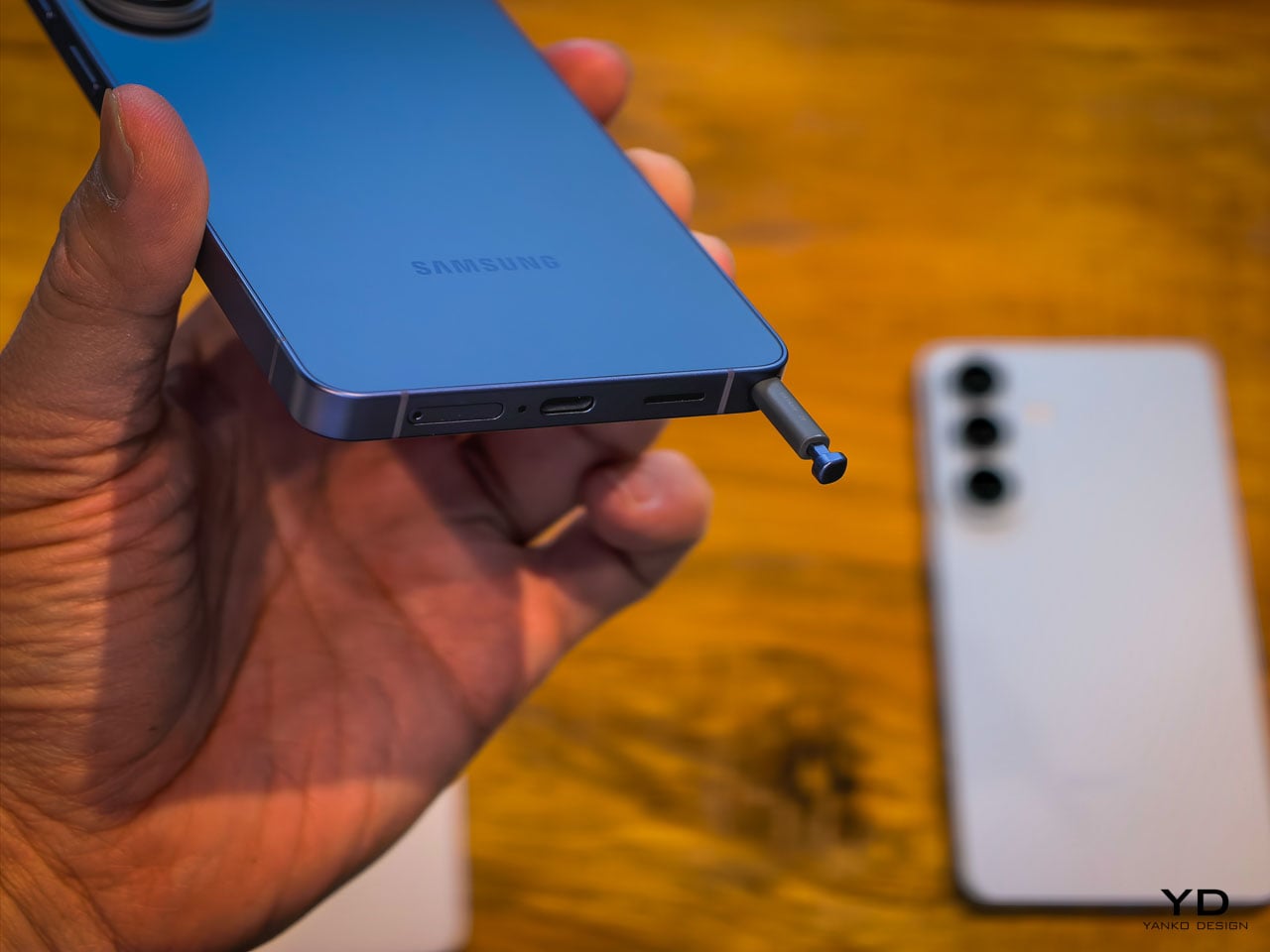
The armor aluminum frame, for instance, needs to feel exactly as dense and rigid as virgin material. The recycled content in the internal structural components can’t introduce resonance or flex that would change the acoustic signature of the haptic engine. These are the invisible constraints that make sustainability in premium electronics genuinely difficult, and getting them right while simultaneously achieving the thinnest Ultra profile is a real engineering accomplishment.
What this means for the flagship category
The Samsung Galaxy S26 Ultra makes a compelling argument that the most impactful smartphone upgrades aren’t the ones you see in a keynote highlight reel. They’re the ones you feel after a week of putting the phone in your pocket, holding it during calls, reading on it in a crowded subway car, and editing photos before posting them.
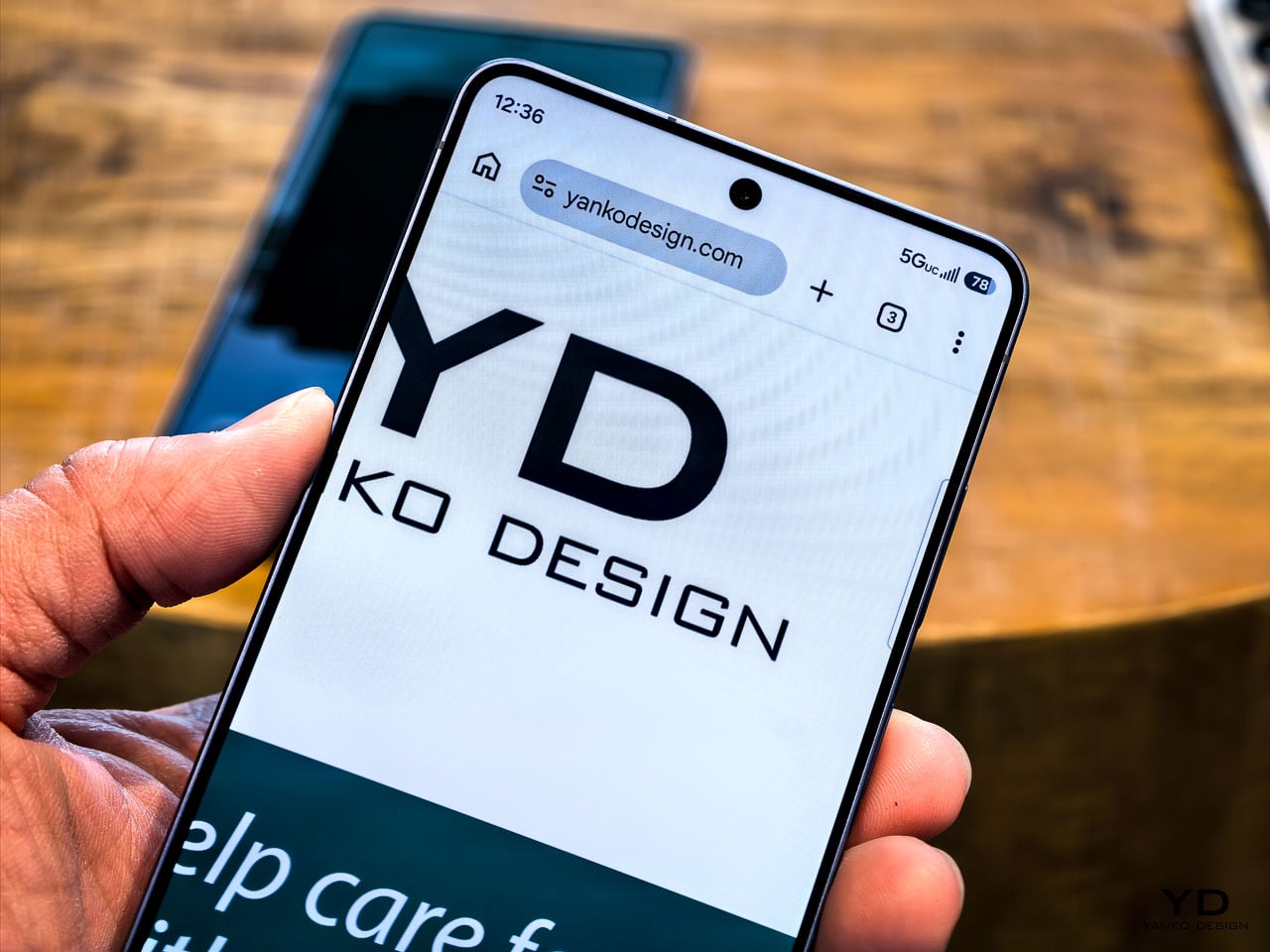
Privacy Display alone changes your physical relationship with the device by removing unconscious posture adjustments you didn’t realize you were making. The thinner profile improves grip confidence in a way that reduces the frequency of readjustment micro-movements. Pro Scaler makes screen content feel more present and dimensionally accurate, which reduces eye strain during extended reading sessions. Better low-light camera performance means fewer retakes and less time fussing with settings.
None of these improvements would trend on social media. All of them compound into a measurably better experience across a typical day. That’s the thesis Samsung is presenting with the S26 Ultra, and based on hands-on time, it’s a convincing one.
Pre-orders open February 25 at $1,299.99, with availability starting March 1. The Cobalt Violet colorway is the one to see in person before deciding.
The post Samsung Galaxy S26 Ultra: The Screen Only You Can See first appeared on Yanko Design.
from Yanko Design



0 Comments